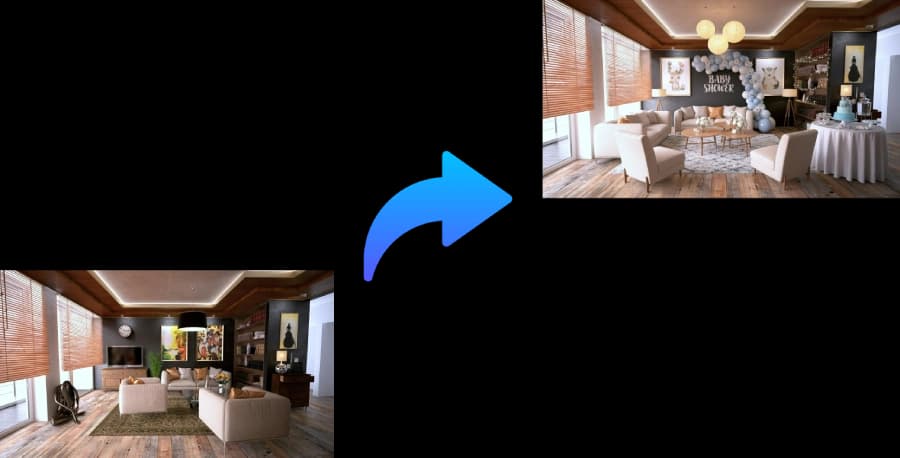
Draft a seating chart that respects the room and the relationships.
Describe your guest groups, table style, family constraints, and reception space. PartyPilotAI helps turn the information into seating zones, table guidance, and a setup plan.
Layout zones, seating guidance, shopping priorities, and setup notes for real event execution.
Small weddings
Receptions where the couple needs a fast seating draft before final RSVP cleanup.
Family constraints
Separate sensitive groups, keep close family visible, and reduce awkward table mixes.
Vendor setup
Give the coordinator or venue a clearer table map and priority notes.
What you get
Planning assets, not just inspiration.
Table strategy
Suggested table counts, seating groups, and activity-zone placement.
Guest-flow notes
Entry, buffet, bar, dance floor, speech, and elderly-access considerations.
Printable direction
A concise setup brief that can be copied into vendor or family instructions.
Workflow
Use it before you commit budget.
The tool is designed for the messy stage where you know the party is happening, but the layout, table count, supplies, and setup responsibilities are still unclear.
1
Add guest count, groups, table type, and relationship constraints.
2
Upload a venue photo or describe the room shape.
3
Generate table guidance, flow notes, and a setup-ready plan.
Planning coverage
Built around the planning details people search for.
Wedding seating chart searches are usually high-pressure planning moments: RSVPs are moving, family groups have constraints, and the venue needs table direction. PartyPilotAI helps couples and coordinators create a seating strategy that respects relationships, table shapes, venue flow, and vendor setup needs.
Guest groups before table numbers
A good wedding seating chart is not just a list of names at tables. It has to balance family relationships, friend groups, elders, children, speeches, dance floor access, service flow, and visibility of the couple. PartyPilotAI starts with groups and constraints so the first draft is easier to refine.
Keep close family visible while separating sensitive relationships when needed.
Group friends, coworkers, cousins, children, and elderly guests in ways that fit the reception flow.
Use table shape, guest count, and room notes to avoid awkward crowding.
Reception flow and vendor setup
The seating chart should work with the rest of the room: buffet, bar, dance floor, cake table, gifts, DJ, speeches, photo area, exits, and service paths. The output helps turn seating choices into instructions a venue, coordinator, or family helper can understand.
Plan table placement around buffet lines, bar access, dance floor space, and speech sightlines.
Identify where reserved family tables, kids tables, vendor meals, and accessibility seating should go.
Create concise notes for final walkthroughs and day-of setup.
Small weddings and flexible receptions
Many couples do not need a full enterprise wedding planning suite. They need a clear first draft that can adjust as RSVPs change. PartyPilotAI is designed for small weddings, backyard receptions, private dining rooms, community halls, and DIY celebrations where speed and practical clarity matter.
Draft table zones before final RSVP cleanup, then update the brief as guest counts settle.
Support round, rectangular, banquet, cocktail, and mixed table styles.
Pair seating guidance with a floor plan when the room layout is still uncertain.
Comparison
AI planning versus templates and manual notes.
Factor
PartyPilotAI
Static template
Manual plan
Planning input
Uses guest groups, family constraints, table style, venue notes, and photos.
Usually expects you to place names manually on a fixed chart.
Requires repeated spreadsheets, sketches, and message threads.
Layout context
Connects seating to room flow, service paths, and important reception zones.
Often focuses only on tables and labels.
Can miss venue flow unless someone maps it carefully.
Best use
First-draft seating strategy for couples, coordinators, and DIY receptions.
Final name placement after the table plan is already decided.
Large formal weddings with dedicated planning staff.
Checklist
Practical steps before the plan is final.
Use these checkpoints to prepare the brief, review the generated plan, and hand off clear tasks before event day.
1
Group guests by household, relationship, age, accessibility needs, and any sensitive constraints.
2
Choose table shape and approximate table count before assigning specific seats.
3
Place family, speeches, elderly guests, kids, buffet, bar, dance floor, and exits in the same plan.
4
Review the chart after RSVP changes and before sending notes to the venue or coordinator.
5
Keep a concise day-of version for the person placing escort cards or table signs.
Common questions
Can it replace a full wedding planning suite?
No. It is a fast planning assistant for seating and layout drafts, especially when you need direction before finalizing everything.
Can I import a guest list?
CSV import is a planned upgrade. For now, describe guest groups and constraints in the brief.
Does it support non-wedding seating?
Yes. The same planning logic can support birthdays, showers, dinners, fundraisers, and family celebrations.