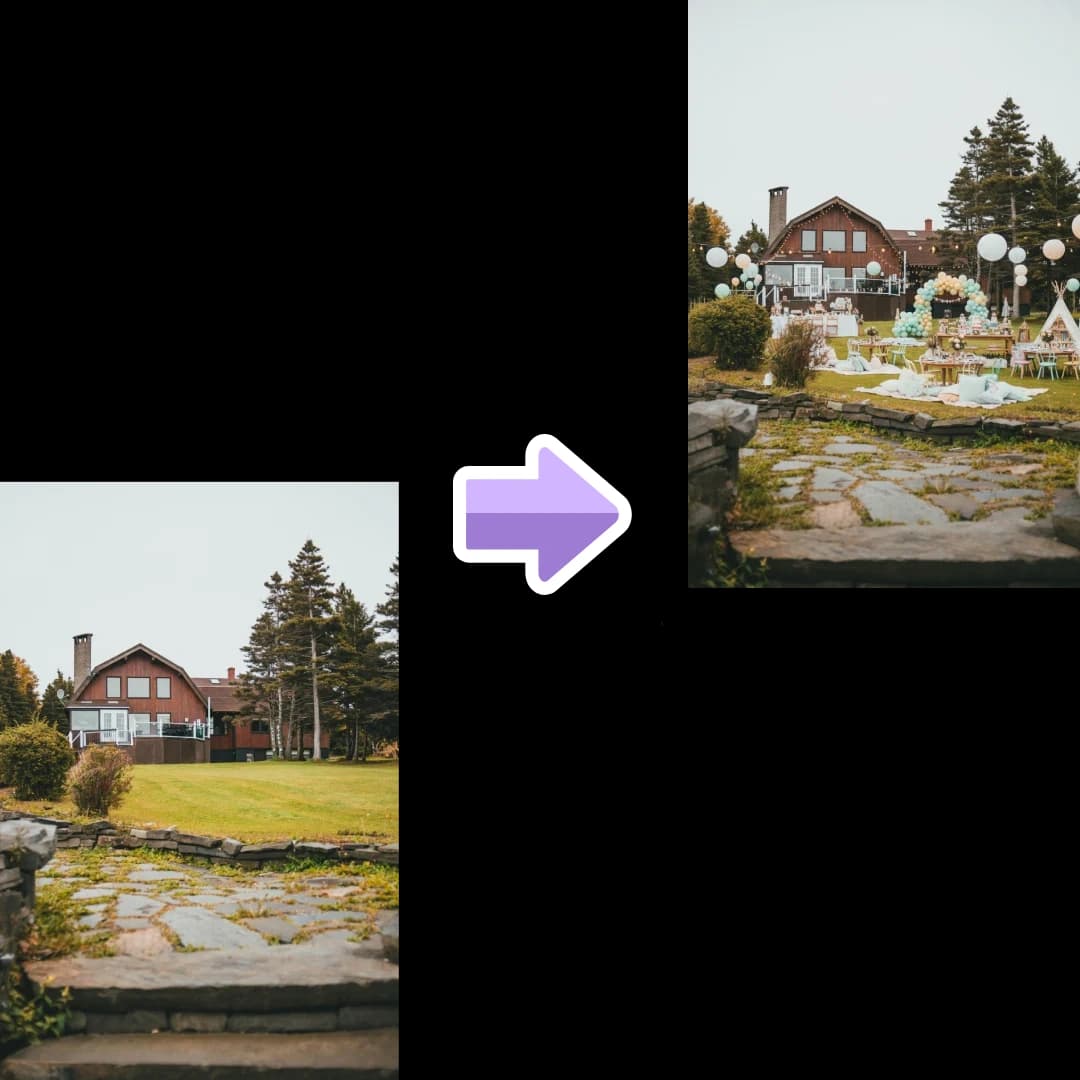
Upload backyard photos and describe your guest count. PartyPilotAI creates a practical layout for dining, food, grill, shade, games, drinks, photos, and traffic flow.
backyard party layoutbackyard party plannerbackyard birthday party layoutoutdoor party layout
Planning kit output
Layout zones, seating guidance, shopping priorities, and setup notes for real event execution.
Backyard birthdays
Plan cake, games, gifts, dining, parent seating, and photo zones.
Garden BBQs
Separate grill, serving, drinks, trash, shade, and lounge areas.
Graduations
Map tables, photo wall, buffet, drinks, and guest movement for larger groups.
What you get
Planning assets, not just inspiration.
Outdoor zone map
Food, grill, seating, activity, photo, shade, entry, and cleanup zones.
Weather notes
Rain, wind, heat, shade, lighting, and extension-cord considerations.
Shopping and rental list
Tents, tables, lights, signage, trash, tableware, decor, and backup items.
Workflow
Use it before you commit budget.
The tool is designed for the messy stage where you know the party is happening, but the layout, table count, supplies, and setup responsibilities are still unclear.
1
Upload backyard photos from different angles.
2
Add guest count, event type, food plan, and budget.
3
Generate layout, setup notes, shopping list, and optional visual mockup.
Planning coverage
Built around the planning details people search for.
Backyard party layout searches are practical: hosts need to know where to put food, seating, games, shade, lights, tents, trash, drinks, and a backup plan. PartyPilotAI uses photos and event details to turn an outdoor space into setup zones.
Outdoor flow and safety
Backyards have constraints that templates miss: slopes, gates, pools, grills, pets, uneven ground, neighbors, extension cords, shade, wind, and where guests naturally walk. PartyPilotAI turns those details into a layout that is easier to set up and safer to host.
Separate grill, food, drinks, seating, games, photo area, kids zones, and cleanup.
Keep cooking zones, cords, pools, stairs, and fragile decor away from crowded paths.
Plan lighting, bathroom access, trash, and guest arrival before decorating.
Weather and comfort planning
Outdoor events need a plan for heat, rain, wind, darkness, bugs, and surfaces. The output can include tent, umbrella, shade, cooler, lighting, fan, heater, and indoor backup notes depending on the event.
Add shade, rain, wind, and temperature notes to the layout.
Identify tent, table, cooler, trash, lighting, and extension cord placement.
Plan a smaller indoor or covered version if weather changes.
Backyard shopping and rentals
Outdoor shopping lists often miss non-decor items until the last day. The planning kit connects the backyard layout to practical supplies so the host knows what to buy, rent, borrow, or move outside.
Include tents, tables, chairs, coolers, lights, signs, serving pieces, trash stations, and cleanup tools.
Separate core hosting needs from decorative upgrades.
Create notes for helpers handling delivery, setup, grill safety, games, or cleanup.